
Brisbane CCTV ExpertsSecurity, antenna, TV + data

Wider coverage

8 Camera CCTV System Brisbane

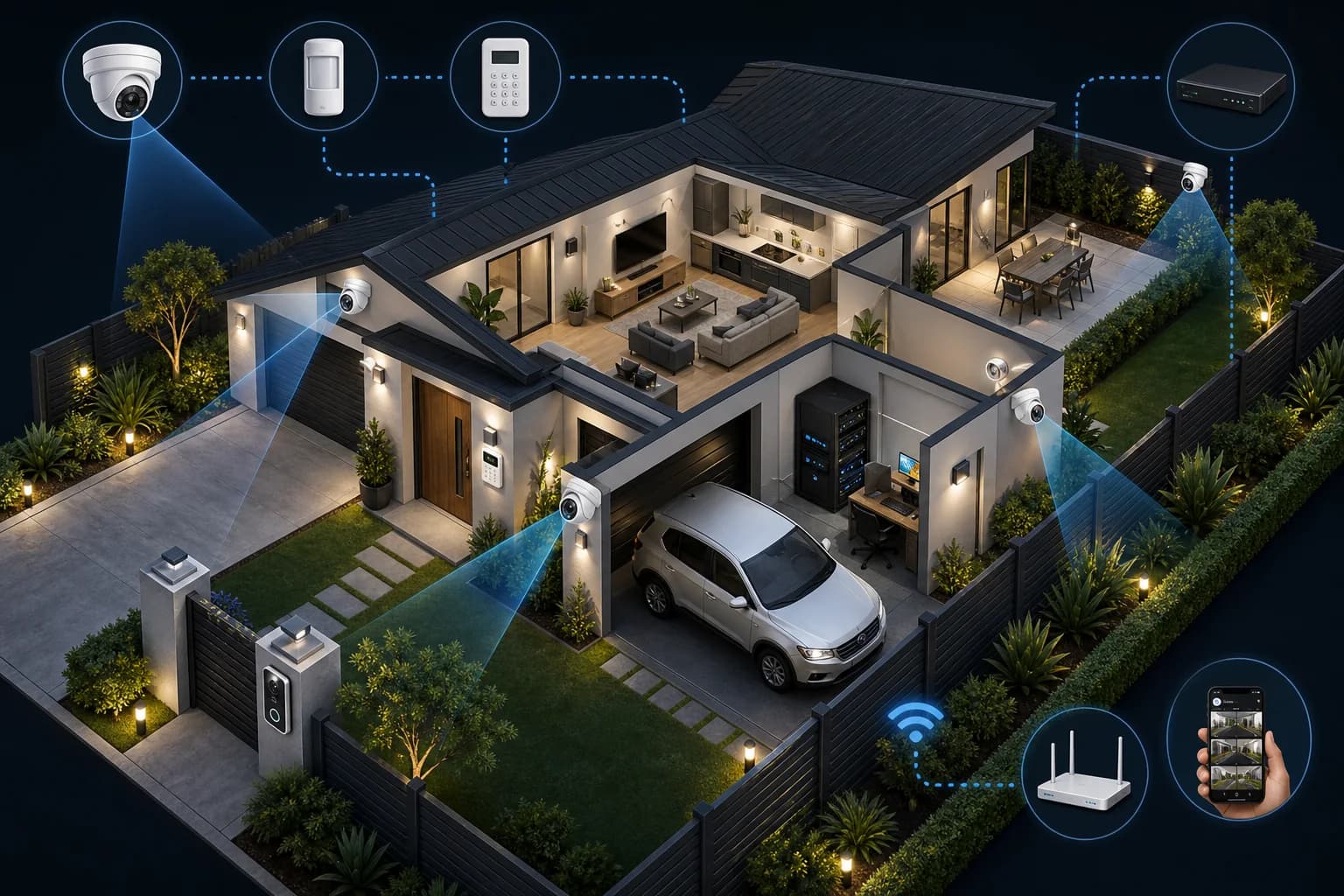
Eight cameras can support a true multi-zone layout, but the value comes from deliberate view allocation, recorder planning and usable playback rather than the number alone.

Isometric infographic of a secured home with CCTV cameras, intercom, alarm, recorder, network equipment, and phone viewing

Protect what matters

Clean install path

Phone access and playback tested

What this helps you solve

Clear answer before you enquire.

An 8-camera CCTV system may suit a larger home, shop, workshop or small warehouse with several entries, vehicle areas, side routes, rear or perimeter zones and internal activity areas. The final count and quote depend on the site.

Fit

Camera count only works when it matches the property.

Check

Cable access, recorder storage, app setup, and night footage.

Next

Send the coverage areas if the camera count feels like a guess.

Who this helps

Use camera count as a starting point, then check it against the property.

Four, six, eight, and custom systems can all be right or wrong. The best package depends on the areas to cover, storage needs, cabling, and app access.

Homes
Businesses
Driveways
Side access
Rear entries
Old systems

What we check

  • Areas to cover
  • Cable paths
  • Recorder location
  • Storage needs
  • Phone viewing
  • Upgrade path

Before choosing a package

Camera count only works when the layout makes sense.

Four, six, eight, and custom systems can all be right or wrong. The layout, cable access, recording needs, and app setup decide the real fit.

Camera positions

The quote should be based on the actual need: entries, vehicles, tools, stock, staff areas, side access, business areas, signal issues, or old-system gaps.

Cable and network path

A clean install depends on where cable can run, where the recorder sits, and whether the network can support remote viewing.

Recorder and storage

The recorder setup should match camera count, footage quality, storage expectations, and how often footage needs to be reviewed.

Handover

The system should be tested, the app should be set up where needed, and the basic playback process should be clear.

Package detail

Check the camera count against the actual property.

Use the package as a starting point, then let the property layout prove whether the camera count is actually right.

When people usually need this

Wider homes, shops, offices, workshops and small warehouses with multi-zone coverage needs.
Assign each camera to an external approach, vehicle, perimeter or internal operating zone instead of duplicating broad views.
You want the camera count checked against blind spots, identification distance, night lighting and cable access.
You need recorder channels, storage, networking, phone viewing and handover considered before a quote.

What we handle

Coverage-zone check

The package is compared against entries, driveway, side access, rear areas, business zones, and blind spots.

Recorder fit

Camera count affects storage, playback, app setup, and how easy footage is to find later.

Cable path check

The package only works if the property can support the camera positions cleanly.

Insufficiency check

Several buildings, long boundaries, large yards, many users or more than eight required views call for custom planning.

Decision path

Choose the path that matches the job.

Use this count

Best for: Wider homes, shops, offices, workshops and small warehouses with multi-zone coverage needs.

Watch: Several buildings, long boundaries, large yards, many users or more than eight required views call for custom planning.

Move up/down

Best for: Properties where one or two extra views change the usefulness of the system.

Watch: More cameras are not better if placement is weak.

Go custom

Best for: Commercial, wide, awkward, or multi-zone properties.

Watch: Needs better planning before quoting.

Property types we plan for

Wide residential sites

Multiple approaches, vehicles, side and rear routes, sheds and outdoor zones.

Retail and offices

Entry, reception or counter, staff, storage, parking and after-hours access.

Workshops

Tools, vehicles, roller doors, work zones, yard, storage and perimeter views.

Small warehouses

Loading, stock, entry, office, vehicle and manager-review zones.

Common mistakes

  • Choosing a camera count before listing the areas to cover.
  • Ignoring storage and playback as camera count increases.
  • Treating an awkward commercial site like a package job.
  • Forgetting phone viewing and handover.

Send this for a sharper quote

  • List the areas each camera should cover.
  • Tell us whether the property is home, business, or commercial.
  • Send existing camera/recorder photos if upgrading.
  • Mention if phone viewing, night footage, or storage matters most.

Package fit check

Make the camera count prove itself.

A package is only useful if it matches the areas to cover, cable path, recorder needs, and handover expectations.

Where this can work

This camera count can be a useful starting point when the property fits the number of views without forcing wasted angles.

What can make it wrong

Long cable runs, awkward roof access, wide outdoor areas, poor lighting, or multiple business zones can push the job toward a different layout.

Recorder and app fit

More cameras can mean more storage, better playback habits, and clearer handover. The recorder and app setup need to match how the footage will be used.

Quote detail to send

List the zones you expect each camera to cover. If the list feels forced, send the property details and we will work from the layout instead.

Who eight cameras can suit

Wider homes, multi-entry blocks, retail sites, offices, workshops and small warehouses can need eight distinct views across external approaches and internal operating zones.

Build a zone plan

Separate the site into entry, vehicles, side access, rear or loading, internal transaction or reception, storage, staff or equipment and perimeter zones. Each camera should have a defined job.

Avoid eight weak overview shots

Some zones need a broad context view while others need closer detail. Camera height, lens view, lighting and distance should be planned so eight cameras do not simply duplicate each other.

Recorder, storage and playback

Eight channels increase footage volume and review complexity. Recorder capacity, storage expectations, search and playback habits and future expansion should be discussed before equipment is chosen.

When eight is still not enough

Large warehouses, several buildings, long boundaries, multiple loading points or sites with many users can require a custom design beyond a preset count.

Prepare for a quote

Send the site type, operating zones, entries, vehicle areas, internal priority areas, who needs playback access and any existing recorder, camera or network details.

Coverage planning

Home coverage plan

A home CCTV layout should be based on the views that actually matter: entries, driveway, side access, rear doors, and low-light approach points.

Zone 01

Front entry

Visitors, deliveries, faces, and the main approach.

Zone 02

Driveway

Vehicles, garage access, and movement near the street.

Zone 03

Side access

Narrow paths, gates, bins, and blind spots.

Zone 04

Rear entry

Back door, patio, yard, and low-light approach points.

Camera angle
Cable path
Recorder/app handover

Quick answers

Questions before you choose

Do I need eight cameras?

Eight may fit when the property has several distinct external and internal zones. List the views first; do not choose eight only because it sounds more complete.

Is an 8-channel recorder always enough?

It may leave no room for expansion. Recorder channel capacity, camera compatibility, storage and future views should be checked together.

Can eight cameras be viewed remotely?

Remote access can be configured where the recorder, network and app support it. User access and playback should be tested at handover.

Does more footage require more storage?

Usually, but the amount depends on resolution, recording settings, activity and the retention period under discussion. No duration is promised from camera count alone.

When should I choose a custom commercial design instead?

Choose custom planning when the site has several buildings, long cable runs, specialised access, many users, large yards or more than eight useful views.

After you enquire

What happens next.

We use the job details to work out the most useful next step before anyone guesses at camera count or equipment.

01

Confirm what matters

Tell us whether the package is for home safety, cars, tools, stock, counters, loading areas, signal, screens, or a wider site layout.

02

Check if the package fits

We compare camera count against the property, cable access, recorder needs, app setup, and any upgrade constraints.

03

Move from package to plan

If the package is right, it becomes the starting point. If not, we point the quote toward the layout that makes more sense.

Specialist, not handyman CCTV

  • Property type, suburb, and what you need protected, fixed, connected, or set up.
  • Whether the job needs a new install, repair, upgrade, or app setup.
  • Recorder, storage, phone app, and handover needs.
  • Cheap, DIY, and rushed camera setups are not the benchmark.
Get a Quote
CallGet a Quote